Introduction
ARKit to MetaHuman renames the 52 ARKit facial shape keys in a Blender scene to the MetaHuman Live Link curve names used by Unreal Engine. The mapping is built in, the operation is undoable, and every rename is checked before and after it is applied.
Use it when a facial rig was authored with ARKit names but needs to drive a MetaHuman in Unreal Engine. Values, sliders, mute states, key order and shape key data are preserved. Animation, NLA strips and shape key drivers are rewritten to keep working with the new names.
Features
What ARKit to MetaHuman offers?
| Built-in Mapping | Corrected 52-pair ARKit list, plus Neutral to Default. |
| Preview First | Review every rename, missing source and conflict before changing the file. |
| Conflict-Safe | Existing targets are reported and skipped; Blender never adds a .001 suffix. |
| Data Preserved | Values, sliders, mute, vertex groups, relative keys and key order are verified. |
| Animation-Aware | Rewrites F-curves, NLA strips and shape key drivers to the new names. |
| Flexible Scope | Process the active mesh, selected meshes, or all meshes in the view layer. |
| Shared Rigs | Shared shape key data is renamed once, even when several objects use it. |
| Auditable | Full report in the Text Editor, with an option to save it as a text file. |
| No Setup Files | No CSV, JSON or external mapping file to load or maintain. |
How It Works
Four steps from ARKit names to Live Link curves.
- Select the mesh or meshes with ARKit shape keys.
- Open the ARKit tab in the 3D Viewport sidebar and choose the scope.
- Click Preview Renames and review the report.
- Click Apply Renames, then save the report if you need a record.
Before & After
A sample of the names the add-on produces.
| ARKit shape key | MetaHuman Live Link |
|---|---|
EyeBlinkLeft | ctrl_expressions_eyeblinkl |
EyeLookInLeft | ctrl_expressions_eyelookrightl |
JawOpen | ctrl_expressions_jawOpen |
MouthClose | ctrl_expressions_mouthlipspurseul |
BrowInnerUp | ctrl_expressions_browlaterall |
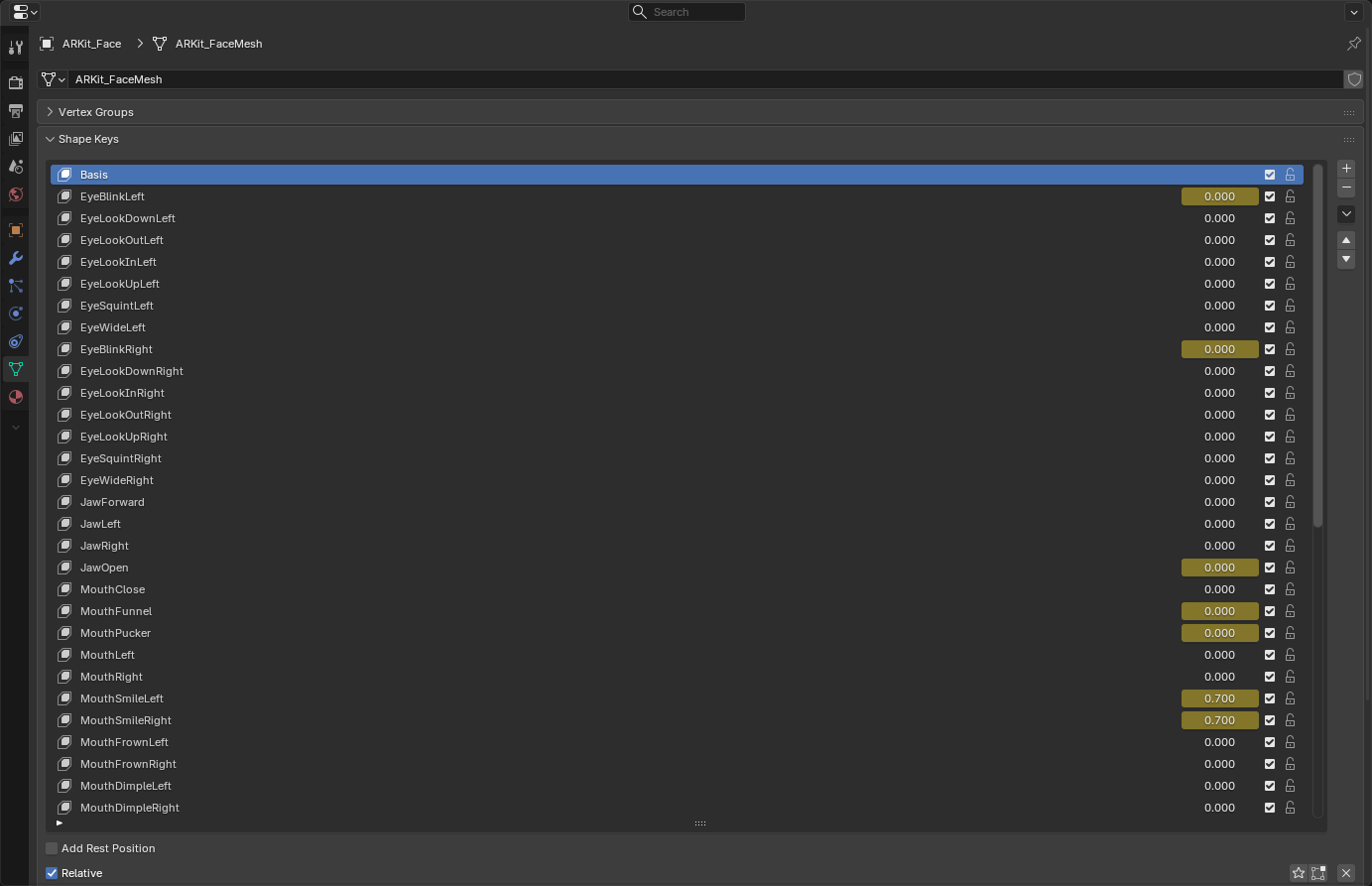
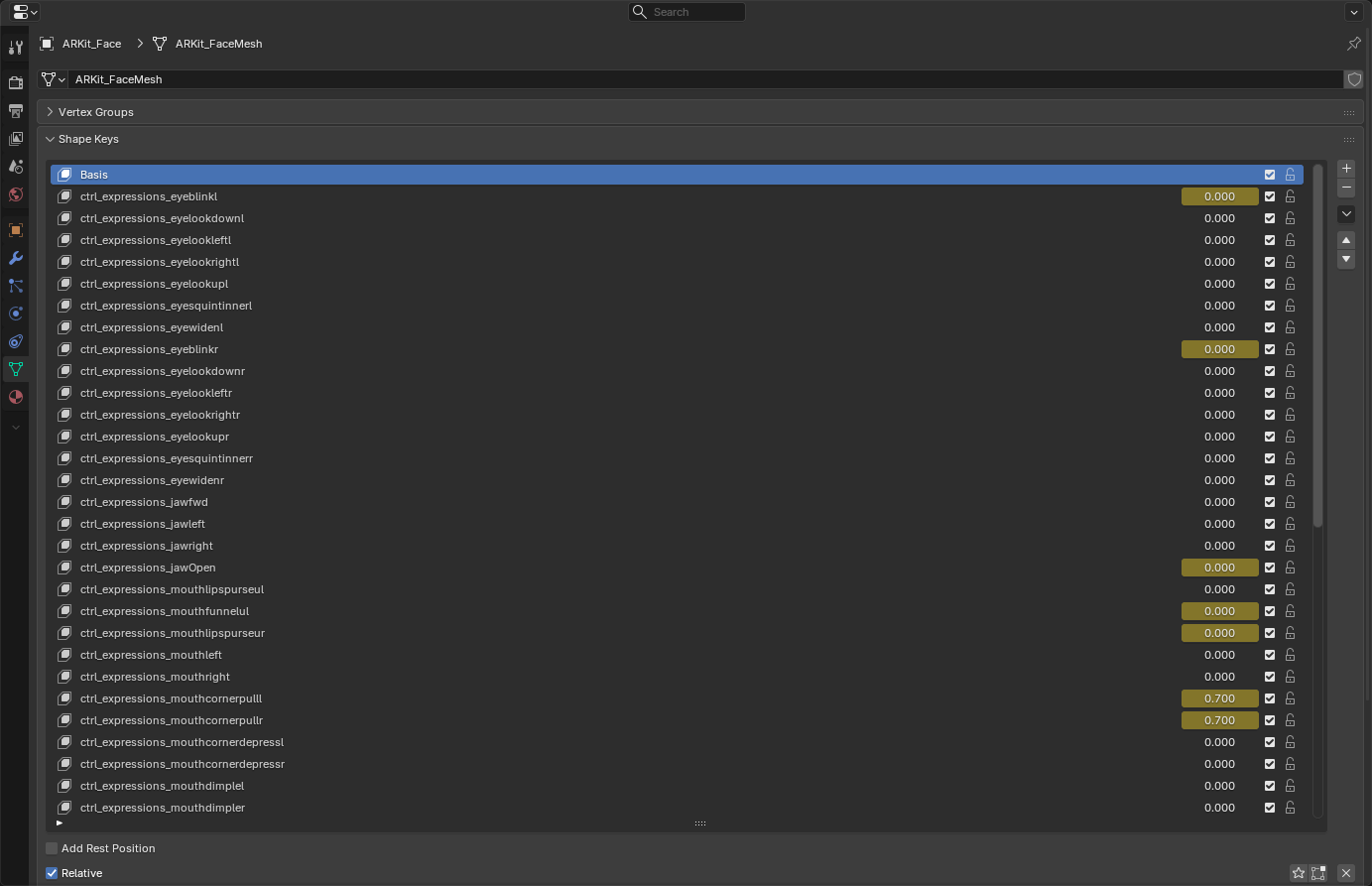
Pairs are applied verbatim. Deliberate asymmetries and mixed casing, such as ctrl_expressions_jawOpen, are kept exactly as supplied.
Animation & Drivers
Renaming the keys should not break the rig.
The add-on rewrites shape key animation in the active action, every action used by NLA strips, and drivers attached to the shape key data-block. It handles legacy and layered actions and warns when an action is shared by other data-blocks.
Object-level drivers that reference key_blocks[...] outside the shape key data-block are outside the current scope and should be checked manually after a rename.
Options
Only the controls that matter for a rename.
| Scope | Active Mesh, Selected Meshes or All Meshes. Default: Selected Meshes. |
| Update Animation & Drivers | Rewrite shape key animation and driver paths. Enabled by default. |
| Skip Missing Keys | Apply the available renames and report missing sources. Disable it to cancel the whole run when any source is missing. |
Limitations
What the add-on deliberately does not do.
The add-on only renames existing object shape keys. It does not create keys, edit mesh data, merge duplicates or change expressions. Pose-bone rigs and other rig controls are out of scope.
Linked-library keys are read-only. A target that exists in any letter case is treated as a conflict and is never overwritten or automatically merged.
Support
Join our Discord server to stay updated.
Other Add-ons
Other add-ons you might like.







Become an Affiliate
Interested in becoming an affiliate partner?
We are actively seeking individuals who are passionate about our products and are eager to spread the word. As an affiliate, you'll have the opportunity to earn a commission on sale that comes from your referrals. If this interests you, we'd love to hear from you. Please contact us on Discord to discuss this opportunity further. We look forward to the possibility of welcoming you to our affiliate program.
Discord DM: karan.b3dhub